
How Claude Cowork Can Save Your Small Business Hours Every Week
Marcos Rebitte
Lead Consultant
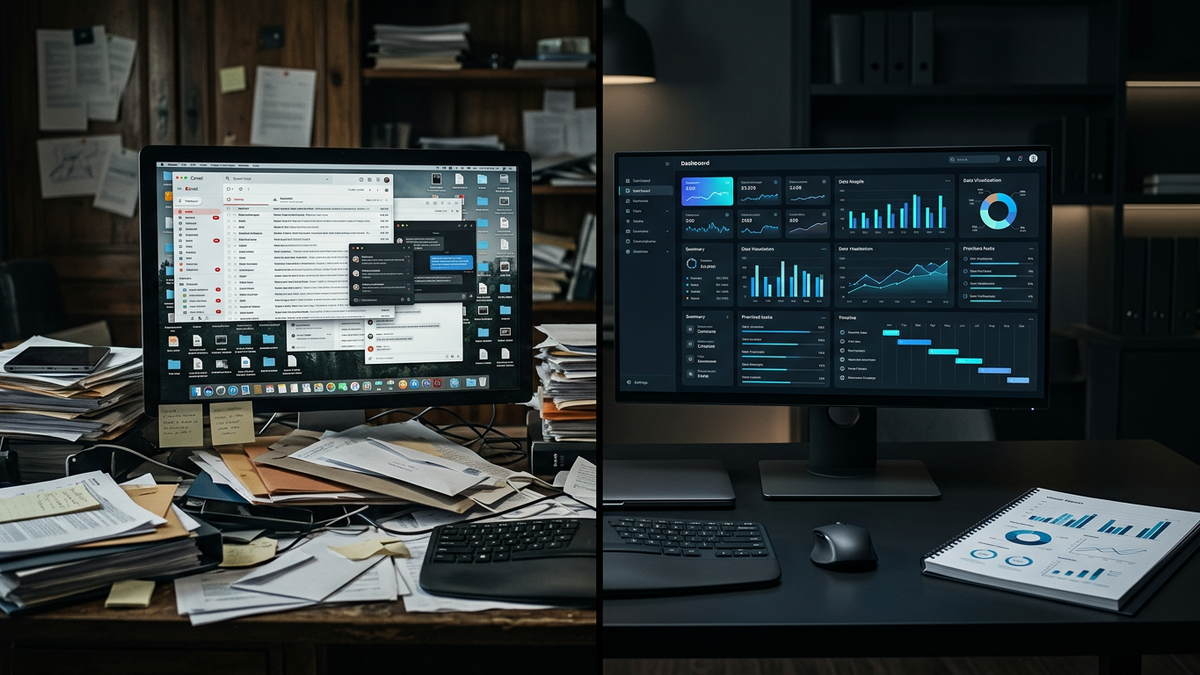
It's 7 p.m. The doors are locked, but you're still at your desk — renaming invoice files, copying numbers into a spreadsheet, and drafting the same three emails you write every week. None of it grows the business. All of it has to get done. Sound familiar?
This is the exact kind of work Claude Cowork was built to take off your plate. It's Anthropic's assistant for everyday knowledge work — the boring, repetitive tasks that quietly eat a small business owner's evenings. Below, we'll walk through what it actually does, where it shines for a local business, and where it stops making sense to do it yourself.

What Claude Cowork Actually Is
Claude Cowork is an AI assistant that works across the tools you already use — your files, email, calendar, messaging apps, and the web. Instead of answering a question and stopping, it takes on multi-step tasks: you describe the outcome you want, step away, and come back to finished work.
That's the important shift. A chatbot gives you an answer. Cowork gives you a result — a formatted report, a cleaned-up spreadsheet, a folder of renamed documents, a drafted set of replies. It runs on desktop, web, and mobile, so you can kick off a task at your desk and check on it from your phone.
For a business owner, the mental model is simple: it's less like a search engine and more like a capable assistant who never needs you to repeat the instructions.
The Everyday Tasks It Handles Well
Most of what Cowork does isn't fancy — it's the connective tissue of running a business. A few examples that map directly to a local operation:
Pulling scattered updates into one clean report. If your week's numbers live in three spreadsheets, a couple of emails, and a notes app, Cowork can gather them and hand you a single summary.
Organizing and renaming files. Point it at a messy folder of receipts, contracts, or job photos and it will sort and label them by a rule you describe once.
Drafting repetitive communication. Follow-up emails, customer replies, vendor messages — the ones that follow a pattern but still need a human tone.
Building the small stuff that never gets built. Onboarding checklists, simple templates, a first-draft standard operating procedure for a task only you know how to do.
You can even schedule these to run on their own. Set a task to compile your Monday-morning numbers, and it's waiting for you when you sit down — no laptop open, no reminder needed. In Anthropic's own breakdown, the large majority of Cowork's usage isn't software development at all; it's this kind of business operations and content work.
Where to Start Without Getting Overwhelmed
The mistake we see owners make with any new tool is trying to automate everything at once. Don't. Pick the single task that annoys you most and costs you the most time — usually something you do weekly and dread.
Start there. Describe it to Cowork the way you'd explain it to a new hire: what the inputs are, what "done" looks like, and any rules that matter. Review the first result closely, correct what's off, and let it learn your preferences. Within a couple of rounds, that weekly chore becomes a two-minute handoff.
Once one task is running smoothly, add another. This is how a busy owner actually reclaims time — one reliable handoff at a time, not a big-bang overhaul.
Where Off-the-Shelf Stops — and Custom Begins
Cowork is excellent for tasks that live inside your own files and inbox. But a lot of the highest-value work in a local business happens between systems and with your customers — and that's where a general assistant hits its limits.
It won't answer your phone at 9 p.m. when a tenant has a leak. It won't send a WhatsApp booking confirmation the instant a customer messages, in their language. It won't sit inside your QuickBooks and reconcile 200 vendor invoices a month, or call 200 lapsed customers to rebook their tune-ups. Those are dedicated, always-on systems wired directly into how your business runs.
That's the line worth understanding: Cowork is the fastest way to get real value from AI today, on your own admin work. Purpose-built automation is what you graduate to when a specific workflow is core to your revenue.
How MrTech Fits In
We're big fans of tools like Cowork — we use this class of assistant in our own workflow, including drafting and publishing posts like this one. For a lot of owners, it's the perfect first step, and we'll happily point you to it.
Where we come in is the next step. When a task is too central, too customer-facing, or too tangled across systems to hand to a general assistant, we build the dedicated version. We built an invoice pipeline that took a property management company from 15 hours a week of manual data entry down to 30 minutes — 97% accuracy, synced straight into QuickBooks, and it caught $3,400 in duplicate payments in the first month. We've put voice agents live in a week that resolve 80% of tenant calls without a human, and WhatsApp automation that lifted a local salon's bookings 30% in its first month.
Same goal as Cowork — give you your time back — just engineered around one workflow that matters enough to get its own system.
Getting Started
If you're curious about AI but not sure where it fits, Claude Cowork is a low-risk place to begin: pick your most tedious weekly task and hand it over this week. You'll learn a lot about what AI can do for your business just by watching it work.
And when you hit the point where an off-the-shelf assistant isn't enough — where you need something that runs 24/7, talks to your customers, or lives inside your core systems — that's the conversation we'd love to have. We'll show you exactly what that looks like for your business, whether you're in property management, construction, or running a shop on the Grand Strand.
Marcos Rebitte
Lead Consultant
Marcos Rebitte is an entrepreneur and technology consultant with over 20 years of experience in technology and automation. Based in Myrtle Beach, SC, he is multilingual and combines international business experience with deep technical expertise.
Subscribe to Newsletter
Get weekly insights on automation, AI, and enterprise technology.